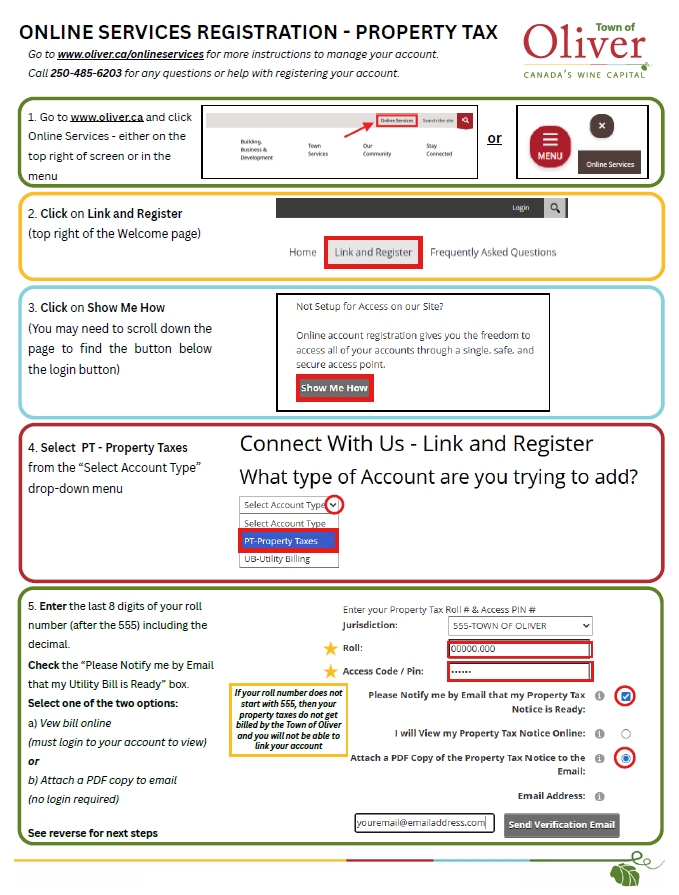
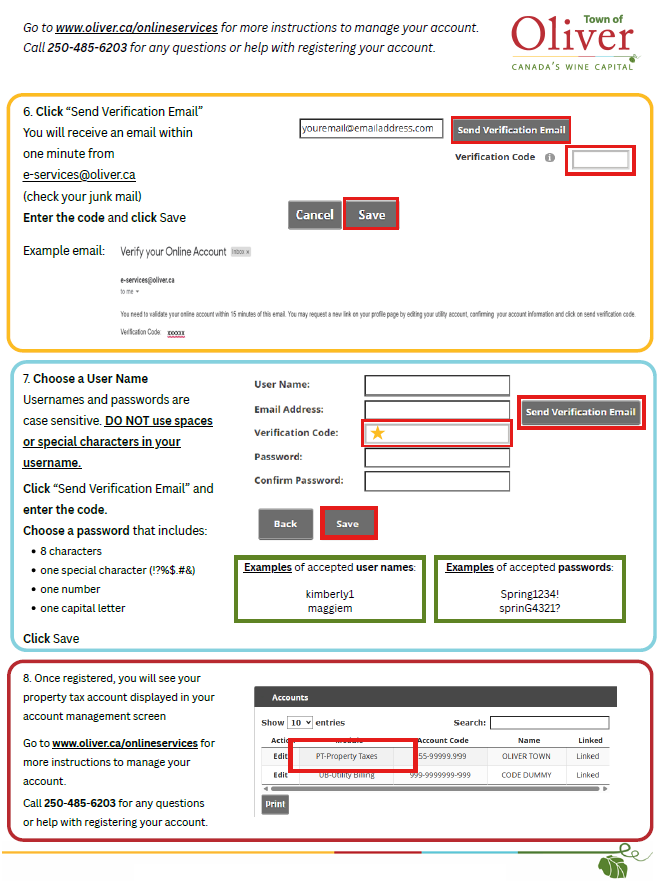
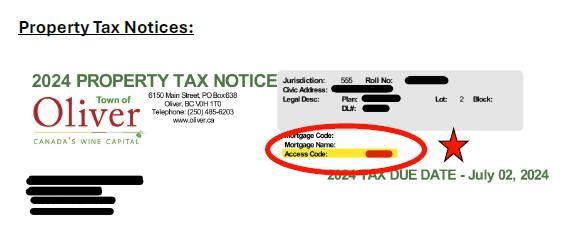
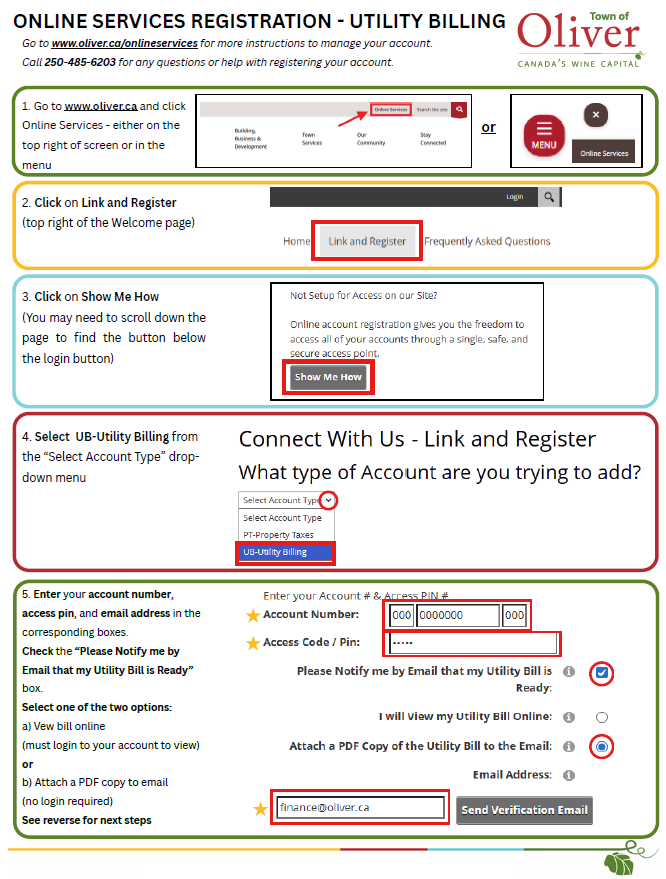
Click here for instructions on how to change your password
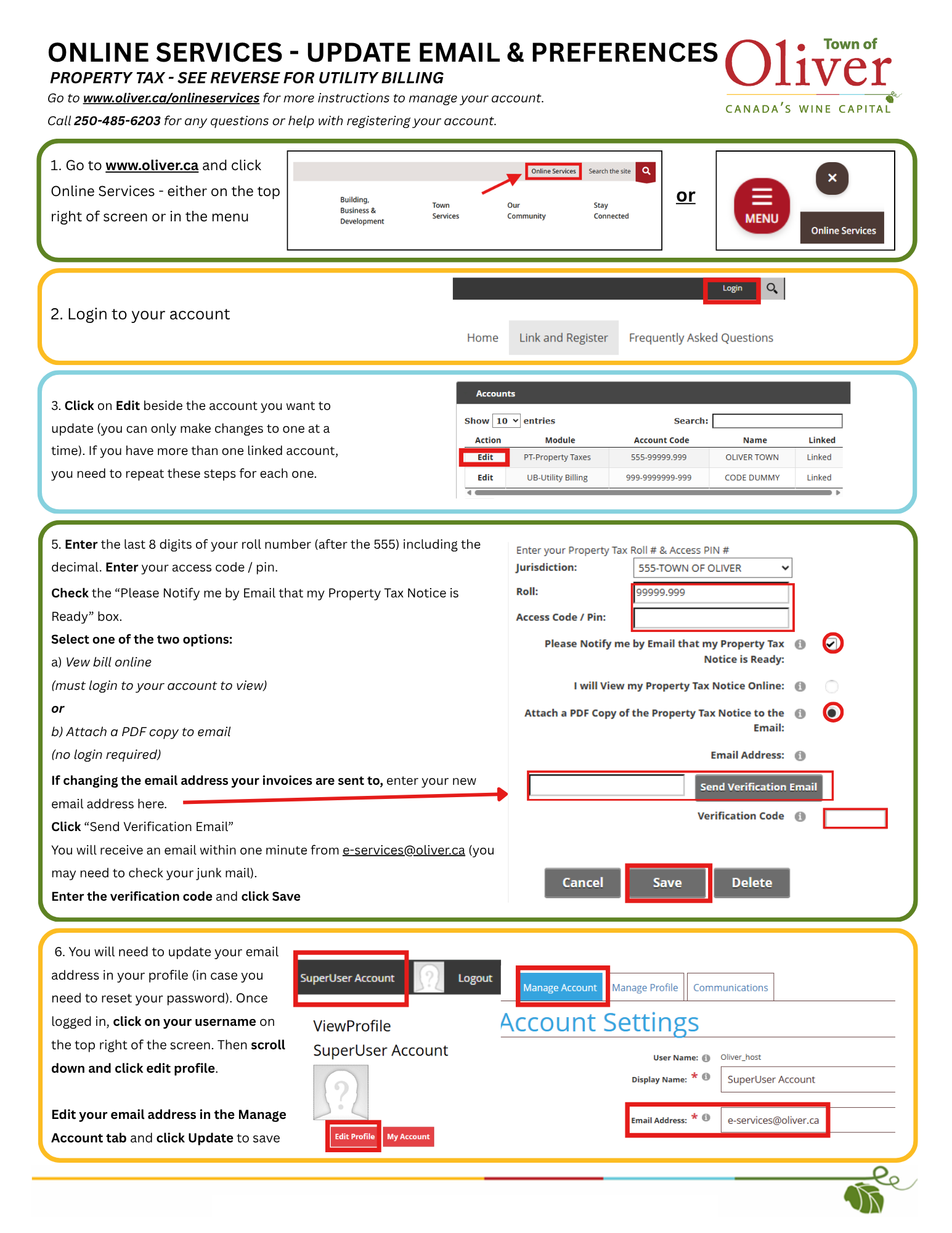
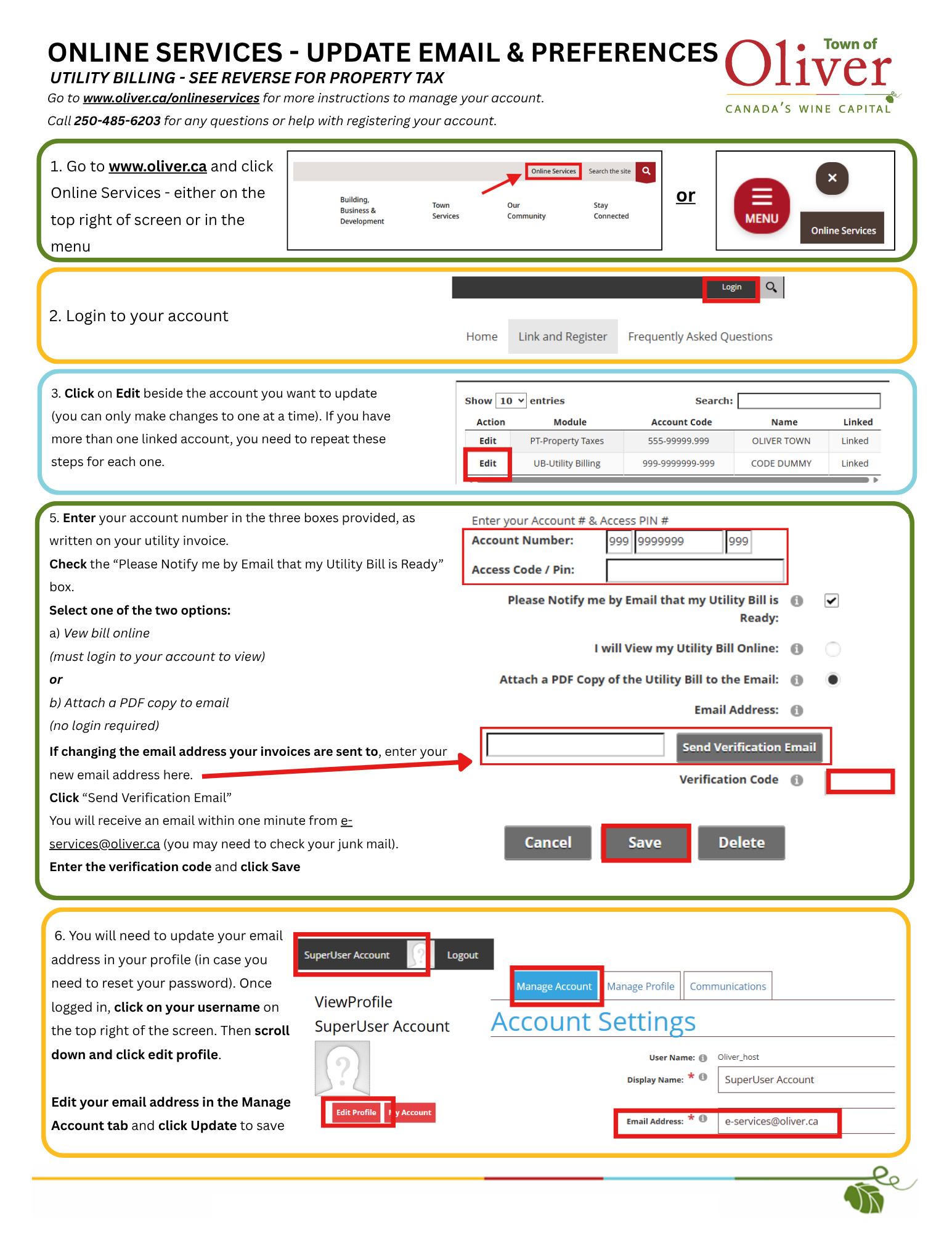
1. Click Online Services on the top right of the Town of Oliver's website.
2. Click "Login" on the top right toolbar
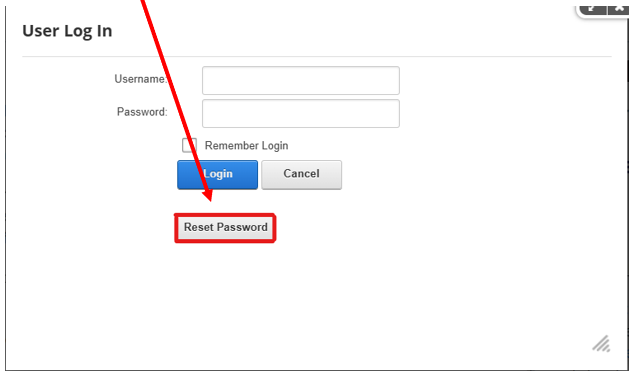
3. Click “Reset Password” in the new window that pops up
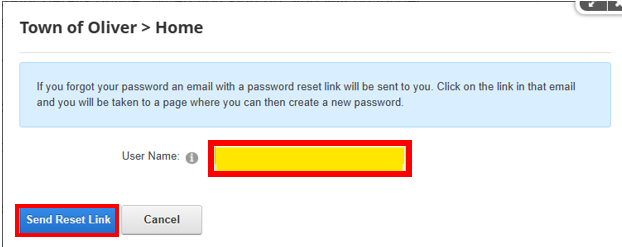
4. Enter your username and click “Send Reset Link”.
Note: If you do not remember your User Name, please call the Finance Department at 250-485-6203 or email Finance@Oliver.ca
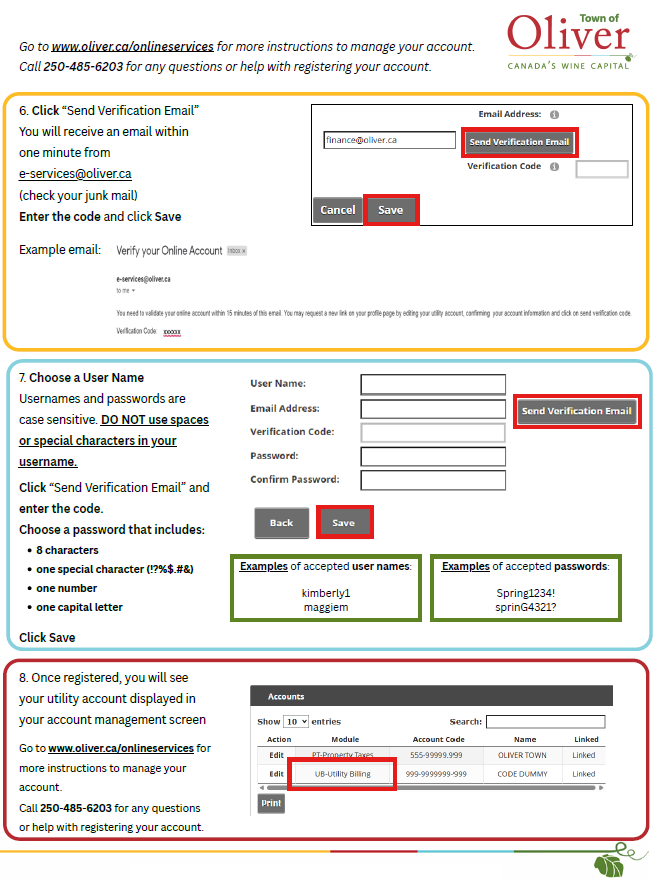
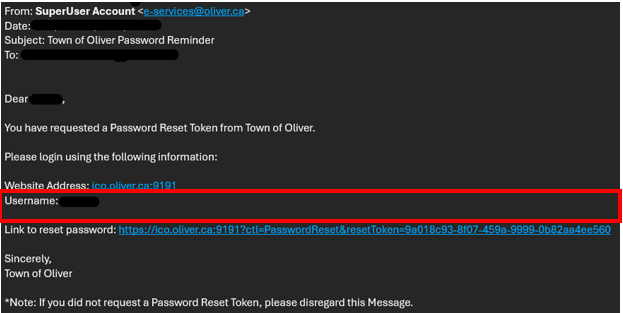
5. When you receive the email (from e-services@oliver.ca), click the link to reset your password
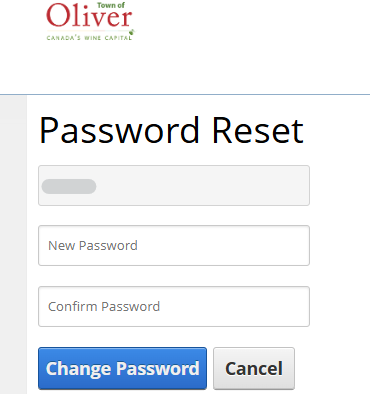
6. Enter your new password in the New Password and Confirm Password boxes, then click “Change Password” Note: Passwords must contain a minimum of 8 characters, including at least one uppercase letter, one number, and one special character (?!@#$%&). Do not use spaces in your password.